Time Reporting
There are various pages in Workup that allow you to report and analyse on time. Workup records schedule time, leave and actuals in a common format allowing detailed reporting and analysis. All time is captured in minutes and is captured by resource at the Project - Activity level.
The key pages alowing you to analyse time are:
- Projects-Time page: the main time analysis page, lists timesheets and aggregated time data
- Project page: shows scheduled and detailed actual time for each project
- Team Status page: shows scheduled and actual time for a specific team or department
- My Status page: shows your schedule and actual time
- Resource Page: shows schedule and actual time for a specific resource
Actual Time Reporting
The Project-Time page is the primary page for reporting on actual time across the organisation. It lists weekly timesheets together with completion status, billing utilisation and total scheduled and actual time for each timesheet.
Additionally it has tabs for displaying aggregated actual data by project and resource and also detailed hourly data for one or more projects or resources.
Actual Time Summary
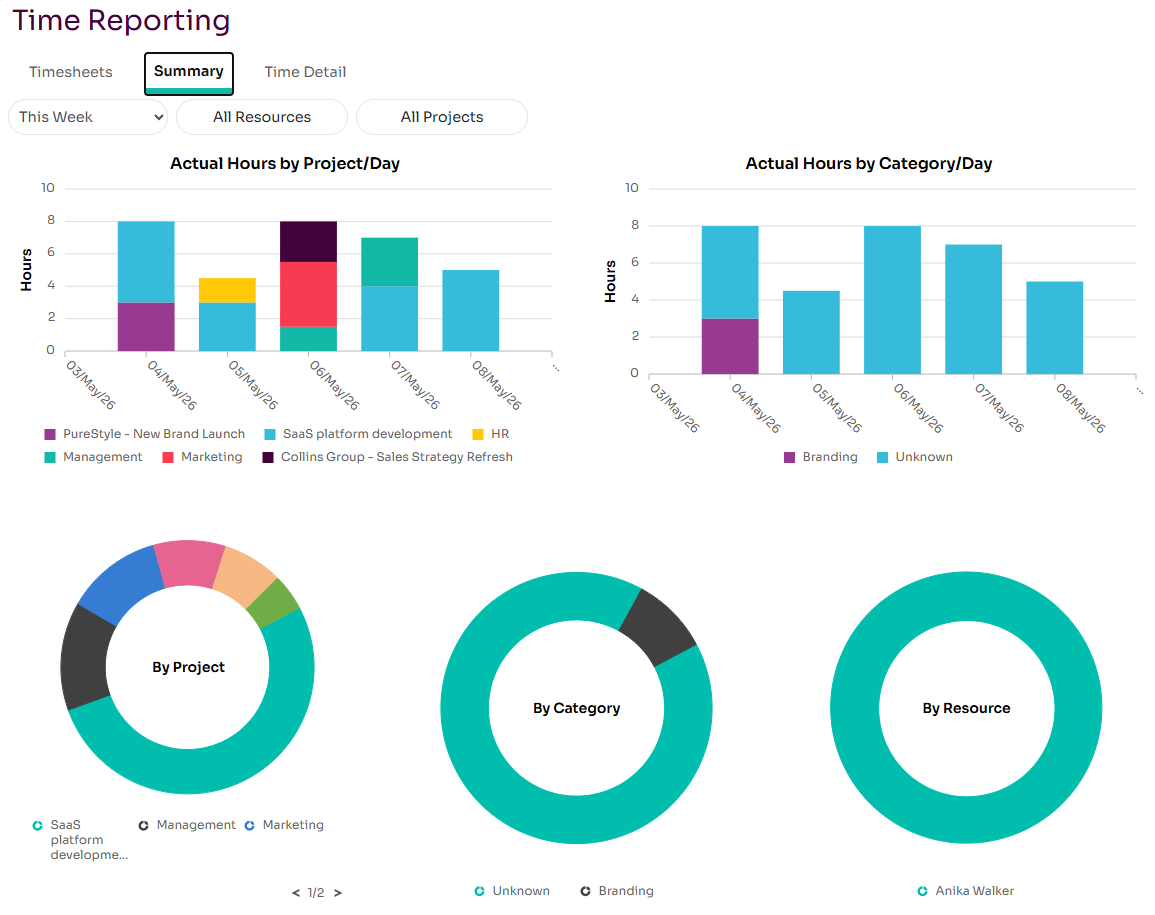
This tab shows a number of charts showing actual time by project, resource and category. You can choose the reporting time period (eg this week, last week, this month) and also the resources and projects you want to include.
Actual Time Detail
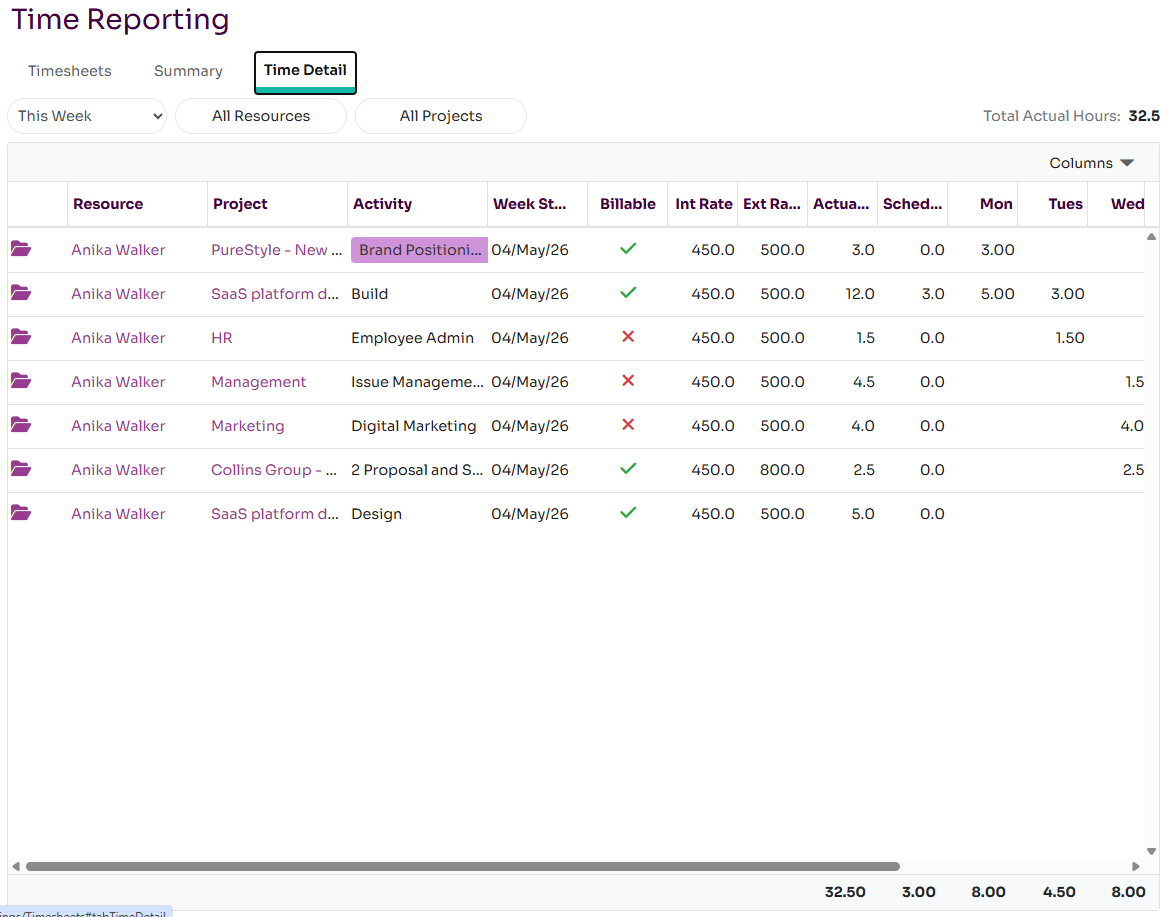
This tab shows actual time data in a timesheet like format for one or more resources and projects in a given time period. By default it shows all time for the current week but you can change this to report on different time periods and different sets of resources and projects.